And how does that work?
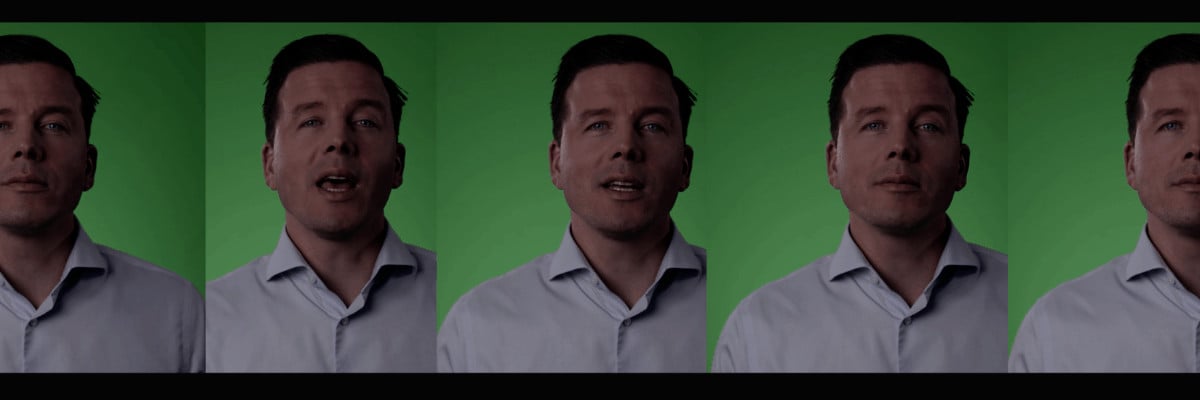
For the green screen avatar, it is important that you make a recording in a studio with a green screen. 😉 Luckily, my good friend Ismael Lotz has a mobile studio with a green screen which was put up in my office for an afternoon.

To obtain a correct recording file, you need to read a script in front of the camera. In order to achieve a good result, it is important to have a high definition recording with professional lighting. As a speaker, it is vital to read out the script flawlessly during the recording, keep your head straight and (within these constraints) come across as enthusiastic. That is pretty difficult. If you are planning to make a green screen recording, I can highly recommend Ismael to you. And another tip: work with an auto cue – that makes the result much better.

When the recordings were finished, the file was sent to Synthesia. And then, frankly, the long waiting started. This software is so incredibly popular, that there is a six-week queue. The recording has to be processed and synchronised with the software. (costs $1.000). (The associated subscription is a few hundred euros per month, depending on how you are going to use the software. )
Avatar Finished
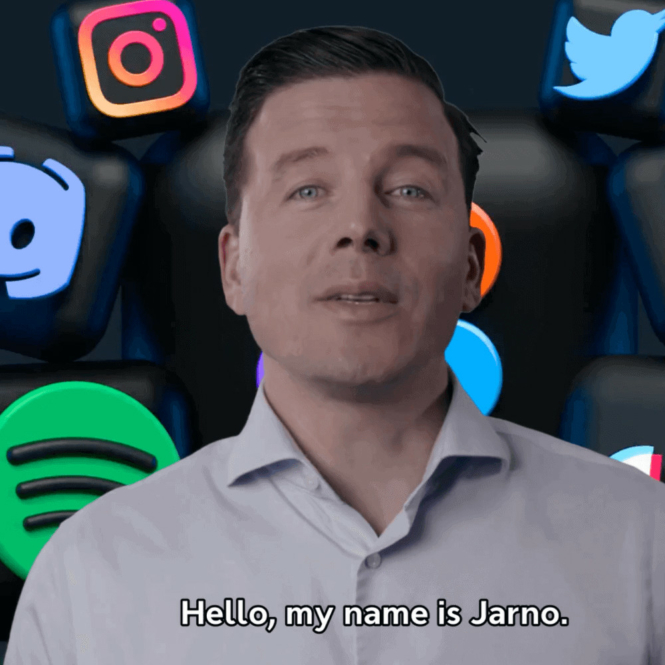
In early December, I received a message in my inbox that the avatar was ready. And I must say, I was genuinely surprised by the good result. Amazing to see. A convincing representation, clone, copy of myself.
And since then, I’ve been experimenting quite actively regarding what works and what doesn’t.
Since I have selected the corporate plan, I also have the option of uploading my own voice, which is then synchronised with the avatar. So, I went to my studio the same day to use my professional equipment to make a voice recording which could be used for the video of my Avatar. Long story short: I was satisfied with the final result, but I wasn’t overwhelmed by it.
After some experimentation, it turns out that the synchronisation of the lips and facial expression works better with written text. So, I have opted for the synthetic voice for now. Another advantage is that it also saves a great deal of time; typing is faster than having to make a voice recording.
So, once again, I have chosen a synthetic voice for this first video. You can choose from several voices, by the way. It just depends on the atmosphere you want to create in the video. And it is also possible to add text in other languages. The website says it supports 39 languages. It is important that you know how to write these languages correctly though. The software does not offer a translation software machine. (For the Dutch readers of this blog: there is indeed a synthetic voice in Dutch as well. I’m going to try it out soon.)
And once the text has been written, you can also choose different backgrounds, music and positioning -right, left, centred- in the video. (For your (dashboard with your) own avatar you do need a corporate Synthesia subscription. The price depends on a variety of parameters. So you’ re going to have to discuss this with them.)